Build folded brochure options that match the pressroom
Folded brochures are rarely a single format. One customer wants a 6 panel A4 brochure on 130 gsm silk, another needs a 4 panel DL piece with a heavier cover feel and spot UV on the front panel. PrintEngine is set up for that kind of range, so your team can define the product once and then let the storefront guide the buyer through the right choices.
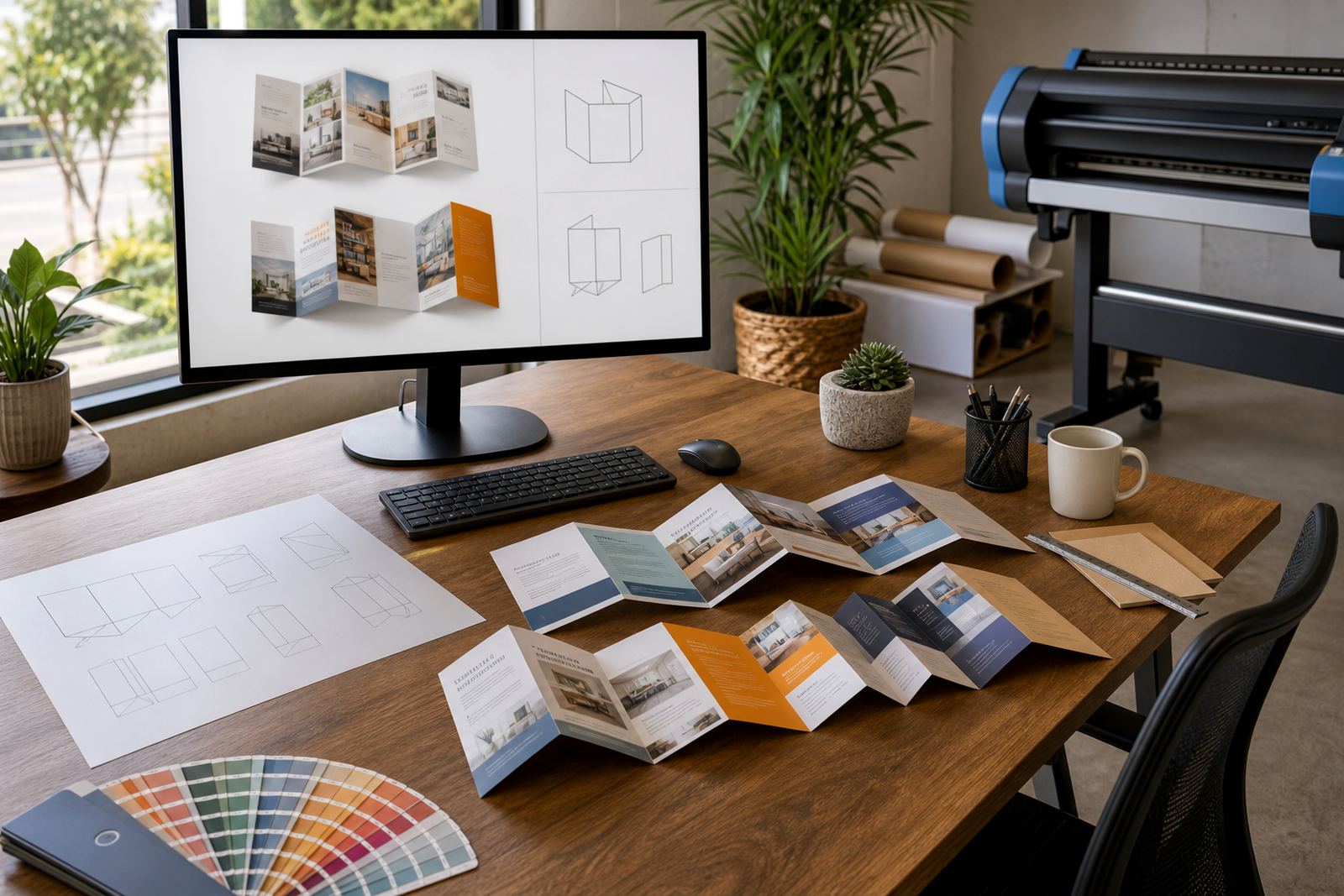
The product builder can be configured around panel count, flat size, finished size, stock type and fold style. Common setups include bi-fold, tri-fold, Z-fold, accordion folds and gate folds, with artwork fields that match the panel order on the final job. That keeps quotes aligned with the real production path, not a rough guess at brochure format.
For Durbanville, Cape Town and other South African print shops, this matters when customers order through the web and expect the options to make sense on screen. A brochure with a 3 panel layout and a brochure with 8 panels do not carry the same setup notes, and the storefront should reflect that difference clearly.
Sizes, panel counts and finishing choices that can be priced cleanly
Brochure pricing often depends on more than page count. You may need different price matrices for A4 folded to A5, A3 folded to A4, DL brochures, square brochures or custom trimmed sizes. PrintEngine supports pricing rules that can step by size, stock, quantity and finishing option, so the storefront can show the correct price before the order reaches the studio.
Finish options can include folding only, trimming, saddle stitching where relevant to the layout, scoring for heavier boards and protective coating on selected brochure styles. If the job needs a special fold sequence, the product setup can include notes that steer the customer away from combinations that will not fold cleanly on press.
- Panel count can be set per product range
- Flat and finished sizes can be listed separately
- Stock options can vary by gsm and paper type
- Finish choices can be tied to specific brochure formats
- Price matrices can change by quantity band and stock
This gives your sales team cleaner orders, while the customer sees one brochure product that behaves like a proper print spec rather than a loose enquiry form.
Artwork upload and proofing for panel order, folds and bleed
Folded brochures need artwork checks that go beyond file size. The panels must sit in the right order, the fold lines must be clear and the bleed must suit the finished trim. PrintEngine supports artwork upload and proofing steps that help a buyer send the right file and help your team catch common production problems before the job is released.
Artwork rules can be set for page count, panel sequence, safe area, fold marks, image resolution and acceptable file types. You can also flag the need for landscape or portrait layouts, depending on the brochure structure. That is useful when a client uploads a file built for a different fold style and expects it to fit as is.
Online proofing can show the customer what has been uploaded, what needs attention and which job is ready for approval. For print shops handling work across Cape Town, Johannesburg, Durban, Pretoria and Bloemfontein, that kind of structure keeps the job moving through the studio without long message trails or unclear instructions.
Where folded brochures fit into real print work
Folded brochures suit product lists, event guides, service overviews, school open day packs, property handouts, exhibition leaves and marketing inserts. They are also useful for corporate print portals where different branches need the same brochure format but with local details or pricing changes. The product builder can support that mix without needing a fresh setup for every order.
They work well when the buyer needs a compact piece that still carries a lot of information. A folded brochure can hold a welcome message, price list, service summary, location details and contact points in one piece, provided the panel structure is set up properly from the start.
- Retail and showroom handouts
- Corporate branch information packs
- Property and hospitality leaflets
- Event and conference inserts
- School, training and venue brochures
Because these jobs often repeat with minor changes, the storefront can keep the brochure range organised by format rather than by a single generic product. That makes it easier for customers to order the right thing and for staff to route it into production.
Setup notes for the shop floor and finishing bench
Brochure products need setup details that the pressroom and finishing team can work from without chasing the customer for basics. PrintEngine can hold the practical details that matter once an order lands, including fold style, panel order, final trim, whether scoring is required and if the stock needs to run through a specific finishing path.
For folded brochures, the installation side is not about physical fitting on site. It is about making sure the product setup in the storefront matches the way the job will be imposed, printed, folded and packed in the shop. If a brochure range has several variants, those can be broken into clear rules so staff do not need to rebuild the job note for each order.
Where the brochure is part of a larger catalogue family, the same setup can be expanded into related formats with matching artwork rules and pricing logic. That helps when a client wants the same content across A4, A5 and DL versions, but each one needs a different fold or panel map.
Care, handling and the order details worth confirming
Brochures are printed pieces, so care starts with the stock choice and carries through to finishing and packing. Heavier stocks may need scoring before folding. Coated stocks can show marks if handled roughly. Very light paper can buckle if the fold or trim is not set correctly. Good product setup helps you steer the order into the right production path from the start.
When ordering folded brochures, confirm the flat size, finished size, number of panels, fold style, stock, quantity, colour setup, finish and whether the artwork is supplied as a press-ready file or still needs checks. If the brochure has front and back covers that differ from the inner panels, that should be recorded clearly in the product build.
- Flat size and finished size
- Panel count and fold style
- Paper stock and gsm
- Colour mode and artwork format
- Finishing requirements such as scoring or coating
- Quantity bands and delivery location
For South African print shops, this information helps the storefront speak the same language as the production bench. It also keeps corporate portal orders, walk-in requests and online brochure jobs aligned with one pricing and proofing structure.
Key facts
| Product type | Folded brochure web-to-print setup |
|---|---|
| Panel counts | 2 panel, 3 panel, 4 panel, 6 panel and custom |
| Size options | A4, A5, DL, square and custom trimmed formats |
| Stock settings | Paper and board options by gsm, finish and usage |
| Artwork controls | Upload fields, panel order, bleed, safe area and proofing |
| Production routing | Fold, score, trim, finish and order tracking |