Start with the use, then the finish
Finishing works best when the product page starts with the job in mind. A menu, workbook, price list, presentation pack, or booklet all need different handling, and the shopper should see that difference before they reach the basket. When a product builder is set up well, the finish is not a mystery hidden in a notes field. It sits where the order is shaped.
For print shops in Durbanville, Cape Town, Johannesburg, Pretoria, Durban, Bloemfontein and smaller trade areas like Stellenbosch or Paarl, this matters because buyers often compare the job on price before they understand the finish. If the page shows the paper, size, fold, binding and protective layer in one path, fewer orders land with unclear instructions. That helps the production team too, because the chosen finish already carries through to the ticket and proof.
Clear finishing choices also reduce phone calls about what each option means. A gloss laminate on a cover is not the same as a matt film on a promotional sheet, and a saddle-stitched booklet is not the same as a wire-bound training manual. The wording should tell the shopper what they are buying, not just the technical name.
Lamination options that stop the guessing
Lamination is often sold as a single add-on, but shoppers handle it differently depending on the item. A restaurant menu, a school notice, or a sales folder may all need protection, yet the level of finish changes the feel and the cost. The product page should make that plain without turning it into a lesson.
- Gloss laminate suits colour-heavy covers and handouts that need a brighter surface.
- Matt laminate gives a softer finish and reduces reflection on text-heavy pieces.
- Soft-touch or velvet film is useful for premium covers and presentation packs.
- Only one side may need finishing on some items, while covers often need both sides.
- Thickness should be clear where it affects stiffness, folding, or bulk.
Artwork rules matter here too. If a file has heavy ink coverage right to the edge, the trim and wrap need enough allowance. If a job includes spot varnish or special textures, the proofing step should show what the client will see after the finish is applied. That keeps the sales view aligned with the production view.
Folding needs a page path, not a vague note
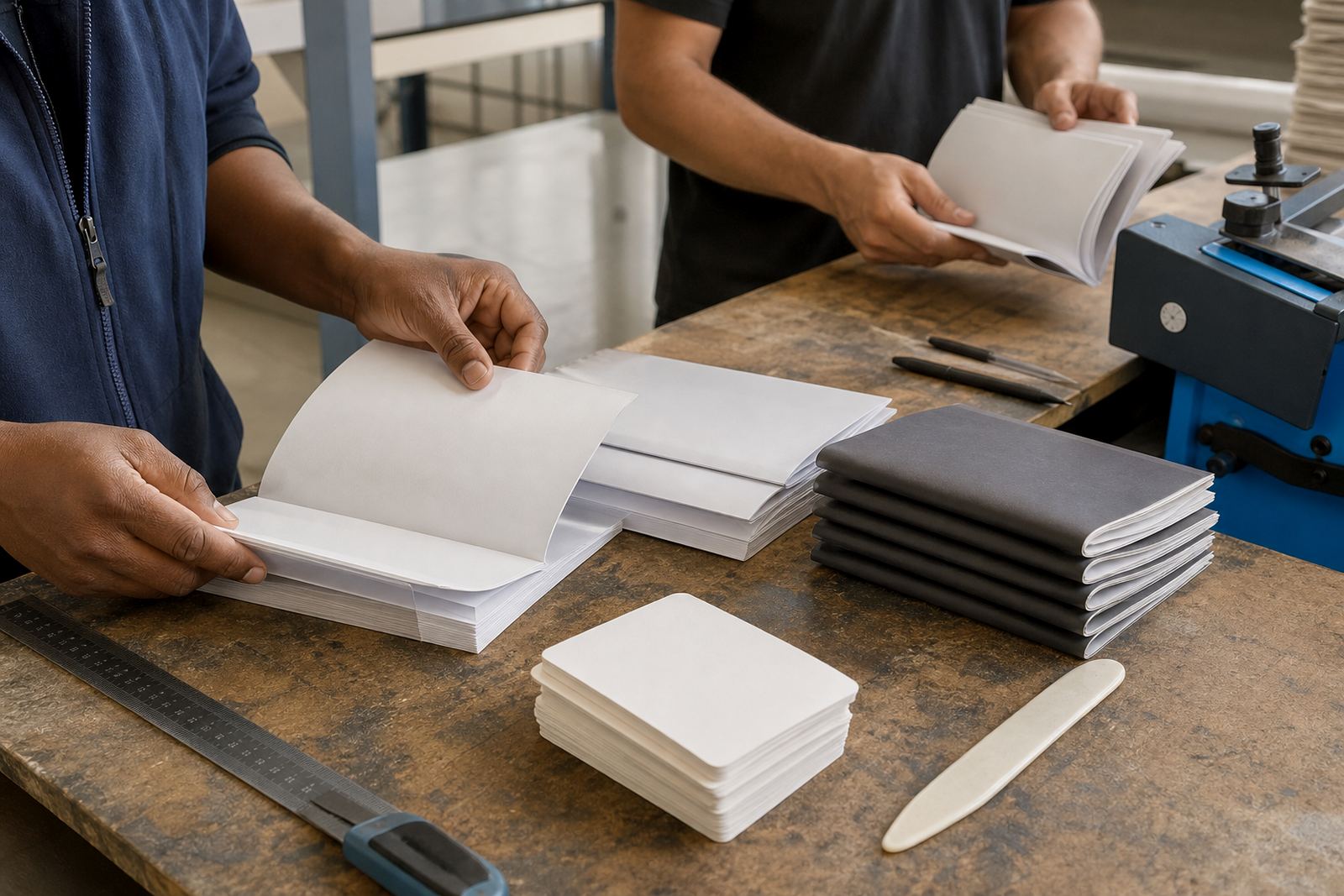
Folding sounds simple until the shopper must choose between a single fold, a gatefold, a roll fold, or a z-fold. If those options are all hidden under one button, the order can go wrong before the job reaches the guillotine. A good storefront lets the client choose the fold in the same place they choose the size and stock.
Brochures and price sheets often need this more than people expect. A folded item may need a different paper weight so the crease does not crack, especially on coated stock. The product builder should guide the client to a sensible combination instead of offering every finish with no context. That way the cart reflects something a press team can actually produce.
- Single folds work well for simple menus and inserts.
- Z-folds suit service sheets and event handouts with a step-by-step layout.
- Roll folds suit compact promotional material that opens in stages.
- Gatefolds need careful panel planning and proofing before print.
When the order tracking links back to production, a folded job can move with fewer handovers. The team sees the fold choice, the artwork version, and the proof status in one flow. That is far cleaner than trying to decode a note from an inbox thread.
Binding should match reading time, not just page count
Binding choices are often described in trade language, but shoppers think about how long they will use the item. A short booklet for an open day does not need the same binding as a training manual or a proposal pack that will sit on a shelf. The more the page builder mirrors that use, the easier it is to sell the right format.
Saddle stitching is usually suited to slimmer booklets with a manageable page count. Wire binding helps manuals lie flat on a table. Perfect binding gives a more formal spine for thicker books, while comb binding can help with documents that may need pages added or removed later. Each choice affects the final size, the spine, and how the artwork should be prepared.
A practical storefront shows the limit and consequence of each option without making the customer guess. If a selected page count is too high for a chosen bind, the system should steer the order toward another fit. That is the kind of guardrail that keeps the front end honest and the production side calmer.
Proofing should show the finish, not hide it
Online proofing is most useful when the finish appears inside the proof, not only in the product title. A client approving a laminated cover or folded flyer should be able to see the panels, crop marks, or binding edge where relevant. Even a simple mock-up makes the ordering path more reliable.
Artwork preflight can also catch common issues before the job moves ahead. Trim bleed, low image resolution, missing fonts, and page order problems matter even more when a finish changes the way the item is handled. A booklet with the wrong page count or a folded sheet with misplaced panels can waste material and press time.
For shops serving corporate clients in Cape Town or Gauteng, a B2B portal helps keep repeat buyers on a familiar setup. Saved product templates, approved artwork rules, and tracked reorders mean the office team is not retyping the same instructions every week. That is useful when a client wants the same annual report, training pack, or branded folder in a different quantity or with updated content.
A Durbanville example with real production logic
Picture a Durbanville print shop handling a quarterly training pack for a company with staff in Cape Town and Durban. The pack needs a matt laminated cover, wire binding, and a folded insert for onboarding notes. If the storefront is clear, the buyer picks each finish in the right order, uploads the artwork, and sees the proof before payment.
The production side then receives a clean job ticket with the right paper, the right bind, and the delivery choice already captured. If the client later reorders the same pack with a few page changes, the template can be expanded instead of rebuilt. That is where setup, staff training, and workflow review matter. The shop gets a system that fits the way real orders move, not a pile of disconnected choices.
Our contact form starts new work for setup, template building, pricing matrices, artwork rules, proof checks, payment handling, delivery, staff training, launch help, catalogue growth and workflow reviews. When the finishing options are mapped properly, the store reads cleanly for the buyer and the back office keeps the job moving with less rework.