Card orders that feel tidy from the first click
Business card storefronts work best when the customer can pick a format, upload artwork and see the right price without phoning the shop. PrintEngine is built for that kind of buying path, with product builders that guide the order through stock, finish and quantity choices before it reaches production.
For print shops, that means fewer back-and-forth changes on small jobs that still need accuracy. A card order may look simple, but trim size, paper weight, print sides and coating all change the final result, so the storefront has to hold those options clearly.
This product page suits standard corporate cards, premium textured cards, spot finish work and multi-language runs where the same artwork needs different contact details. It also fits resellers and corporate buyers who want a repeatable ordering path for staff cards across branches.
Sizes, stocks and finish options that match real print work
Business cards are usually ordered in compact formats that fit wallets, card holders and pocket sleeves. The software can present common sizes and print variations in plain language, so a buyer can pick the right option before checkout.
- Standard sizes such as 90 x 50 mm and 85 x 55 mm
- Single-sided or double-sided print
- 300 gsm to 400 gsm card stock, depending on the job
- Matt, gloss or soft-touch laminate
- Rounded or square corners where the line is offered
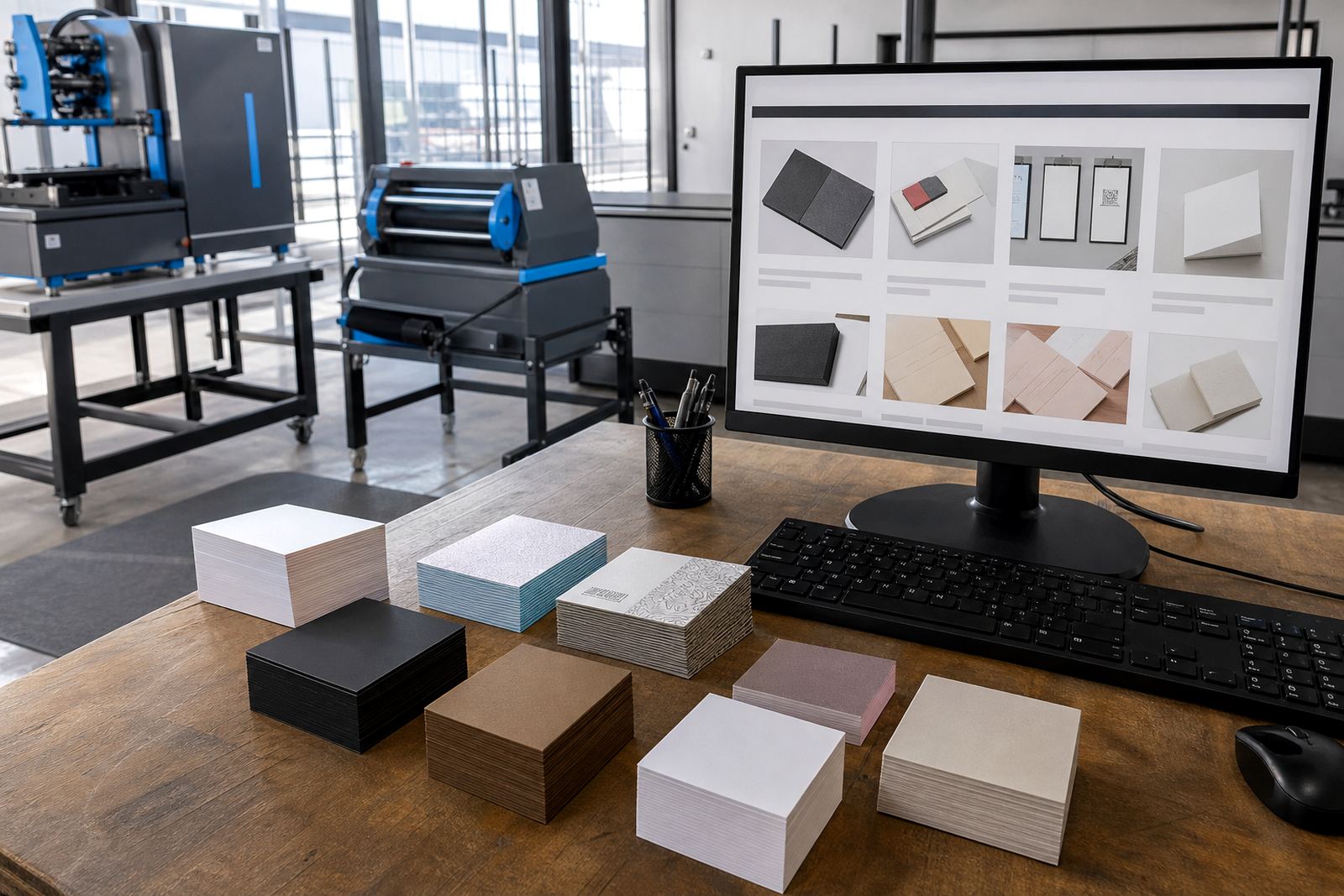
- Uncoated, satin or textured stock choices for premium work
Price matrices can be set by size, quantity, paper grade and finishing method, so a 200-card run does not sit in the same pricing logic as a 1 000-card corporate batch. That keeps the online quote close to the way a print shop actually buys stock and books finishing.
Artwork checks that catch the common mistakes
Business cards often fail at the same points: text too close to the trim, low-resolution logos, missing bleed and contact details set in the wrong place. Artwork rules and preflight checks help catch those issues before the job lands in production.
The storefront can prompt the buyer to upload print-ready files or use a simple card template with safe zones and bleed marks. That works well for legal practices, medical rooms, property teams and trade businesses that need clean contact cards but do not want design confusion on every order.
- Bleed, trim and safe area checks
- File type checks for print-ready artwork
- Front and back artwork upload fields
- Version control for different staff names
- Proof approval before release to production
Where cards are ordered in bulk for a team, the portal can separate each staff member's details without turning the job into a messy message chain. That matters when the branch manager wants consistency across 10, 20 or more names.
Proofing and approval for premium finishes
A plain business card can move quickly, but premium jobs need a stronger proofing step. Raised varnish, foil-style effects, coloured stock and textured finishes all need clear approval because the print result depends on layout, material and the way the ink sits on the sheet.
PrintEngine supports proofing workflows that let the buyer review the artwork before the order advances. That is useful for corporate procurement teams, marketing staff and franchise groups that want one approval point before print release.
For shops with a mixed customer base, this stops the same proof from being sent around in different formats. The order history stays with the product, the proof stays linked to the file, and the production team can see what was approved without searching through inboxes.
Where business cards sit in the sales mix
Business cards are a small item, yet they often lead to repeat work across a shop's full stationery line. A good storefront lets the buyer move from cards to letterheads, labels, flyers or presentation folders without rebuilding the entire order process from scratch.
This product suits print shops serving Durbanville, Cape Town, Johannesburg, Pretoria, Durban, Bloemfontein, Stellenbosch and Paarl, especially where corporate customers place regular staff updates. It also suits teams that manage branch-specific details, because each branch can hold its own contact data and artwork set.
- Corporate staff cards with repeat ordering
- Professional service firms needing clean contact pieces
- Sales teams that update names and job titles often
- Franchise groups with multiple locations and shared brand rules
- Short-run promotional cards for events and launches
In a South African shop, these orders often run alongside courier delivery and card payment flows. The storefront can connect those steps so the buyer does not have to leave the order path to finish checkout or shipping choices.
What the print shop needs to set before launch
To sell business cards well online, the shop has to set the product rules carefully. That includes the size list, stock range, finishing options, quantity breaks, proof step and delivery settings, plus any restrictions around artwork quality or special finishes.
PrintEngine's setup work covers product templates, price matrix setup, artwork rules, proofing workflows and staff training. That gives the print team a structured way to manage cards from first order through to production, packing and delivery.
- Stock name and weight for each card option
- Quantity bands and price breaks
- Artwork upload rules and file format limits
- Proof approval steps for customer sign-off
- Courier and delivery choices by area
- Admin rules for reorders and template updates
Cards look small, but the shop still needs proper admin around them. Once the settings are in place, the product can stay tidy for standard orders and still carry the detail needed for premium business stationery work.
Care, storage and delivery detail that protects the finish
Business cards are handled often, so the finish matters after print as much as it does on press. Gloss and soft-touch laminates need clean stacking and dry storage, while uncoated cards can scuff if they are packed loosely with heavier items.
For delivery, the product page should show whether the order is packed flat, boxed or bundled, and whether the buyer wants one office drop or multiple branch drops. That is especially useful for companies with staff in different towns and a single head office approving the order.
When a buyer places a card order, the details to confirm are straightforward but important: names, titles, telephone numbers, email addresses, logo files, size, quantity, stock choice, finish and delivery point. A clean setup saves a lot of sorting later, especially on bulk corporate runs where one wrong digit changes the whole print file.
Key facts
| Product | Business Cards |
|---|---|
| Common sizes | 90 x 50 mm, 85 x 55 mm and custom trim sizes |
| Stock range | 300 gsm to 400 gsm card stocks |
| Finish options | Matt, gloss, soft-touch laminate and uncoated |
| Order types | Single staff cards, corporate batches and premium runs |
| Workflow features | Artwork upload, proofing, pricing matrix, order tracking and delivery setup |