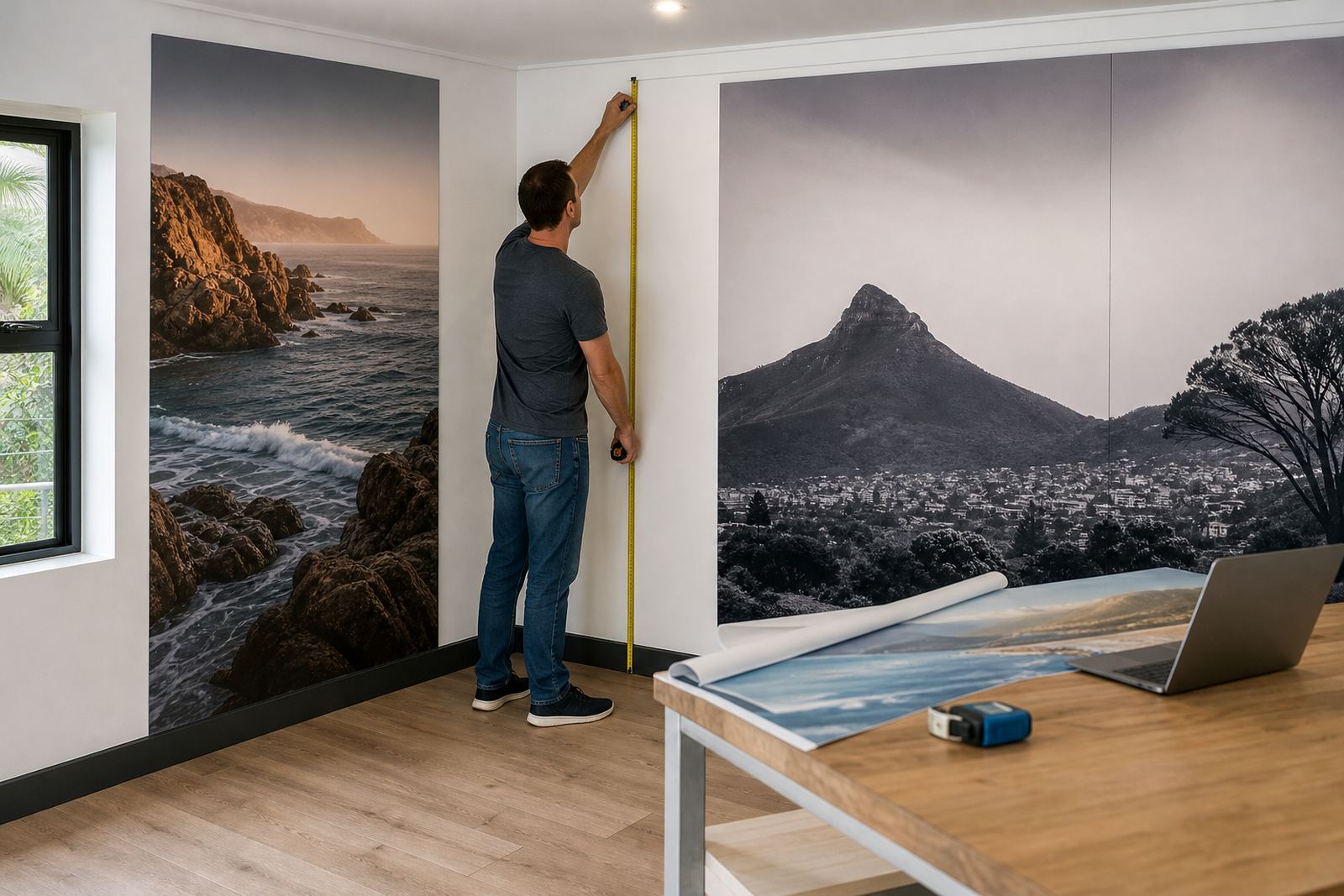
Wallpaper pricing that follows the wall, not a guess
Wallpaper orders usually start with measurements, then move into panel count, substrate choice and the finish the client expects on the wall. PrintEngine lets your storefront price that job from the wall dimensions entered by the customer, so the quote can follow square metres, panel widths, trimming allowance and any custom setup your shop uses for repeat or non-repeat designs.
This works well for decor shops, hospitality fit-outs, office feature walls and residential jobs where the order needs more than a flat catalogue price. A customer can work through size fields, choose a substrate and see the order shaped by the exact area to be covered, including full wall runs, partial panels or a single statement section behind a reception counter or in a boardroom.
- Wall-size entry for height, width and total area
- Panel-based pricing for joined strips or drop matching
- Substrate-specific pricing for smooth, textured or removable stock
- Extra pricing rules for seam count, trimming and custom setup
Product builders for murals, repeats and trimmed panels
Wallpaper is never just one size in the trade. Some jobs need a full mural spread across several panels, while others call for repeat patterns cut into identical drops. Your product builder can show the right structure for each option, with fields for wall size, panel width, pattern direction, bleed and any notes that help the production team prepare the file correctly.
For shops handling both retail decor and trade work, that structure cuts down on back-and-forth over missing dimensions. A builder can guide the order from a single feature wall to a full room wrap, with options for custom cut lines, panel numbering and edge allowance. If the client needs a border or a top and bottom trim line, those notes can sit inside the same order flow.
- Mural layouts with numbered panels
- Repeat pattern options for smooth visual flow
- Field prompts for room height, wall breaks and obstructions
- Custom trim and bleed notes for production teams
Artwork checks before wallpaper goes to print
Wallpaper files need more care than a simple poster. The artwork must hold up over long wall runs, and the proof should show the client where joins, repeats and crop lines land. PrintEngine supports artwork upload, proofing and file rules that help your team flag low resolution images, wrong aspect ratios, missing bleed or text that sits too close to a cut edge.
That matters most on jobs with logos, large type or photographic murals where the print will be viewed from a short distance. A proofing step can show the panel sequence and the finished size, so the customer signs off on what will be printed, not a rough guess. Where your shop uses a preflight checklist, it can include resolution, colour profile, orientation and panel overlap.
- Artwork upload for PDF, TIFF or other print-ready files
- Preflight rules for resolution, bleed and file size
- Proof views that show panel sequence and joins
- Approval steps before the job moves into production
Substrate choices for homes, offices and wet areas
Wallpaper substrate makes a practical difference once the rolls leave the shop. Smooth coated stock suits clean corporate walls and retail interiors, while textured options can hide small surface flaws on older plaster. Removable or repositionable materials are useful in rentals, short-term activations and interior refresh projects. For kitchens, passage walls and humid coastal spaces in Durban, the substrate spec should be clear before the order is released.
Some jobs also call for a lining note, especially when the wall is uneven or the client wants a tougher finish. PrintEngine can let your team present the substrate choice with the order, so the customer sees what is being selected rather than just picking a generic wallpaper line. That keeps the specification useful for both sales and production.
- Coated wallpaper for crisp graphics and clean interiors
- Textured stock for older walls and softer finishes
- Removable material for temporary or rented spaces
- Moisture-aware notes for coastal or high-humidity locations
From order to install without losing the detail
Wallpaper orders often pass through several hands: sales, artwork, production, packing and the installer or fitment crew. Order tracking helps the job stay readable at each step, with the panel count, substrate, proof status and delivery notes visible in one place. That is useful for a Cape Town shop sending work to Johannesburg, or a Durban print room handling multiple room sets in the same week.
Fitment needs are worth noting early. Wall preparation, adhesive type, panel sequence and installer access can all affect the finish. If the customer is arranging fitting separately, the order can still carry the technical notes that matter on site, including wall condition, panel numbering and whether the job has to align across corners, doors or windows.
- Order status tracking from quote to production and dispatch
- Panel numbering for easier installation on site
- Delivery notes for rolls, sheets or boxed sets
- Fields for wall prep, adhesive and fitting notes
What to confirm before the wallpaper order is released
A wallpaper product page works best when the shopper gives the exact figures the print shop needs. The finished wall size, the number of walls, the substrate, the panel width and the repeat type all affect the final output. If the job is for a lounge, showroom, hotel corridor or boardroom, the order should also show whether the print needs to stop at skirting, continue to the ceiling line or wrap around internal corners.
For trade customers, a B2B portal can hold common wallpaper templates, saved wall sizes and recurring pricing rules for each branch or site. That helps corporate buyers place repeat decor orders with less rekeying and gives the print team cleaner instructions. The key details still matter: dimensions, artwork file, finish, quantity, address, installation plan and any special handling for long panels or fragile rolls.
- Wall width and height for every section
- Number of walls or panels in the order
- Substrate type and finish requirement
- Artwork file, repeat style and installation notes
Key facts
| Pricing basis | Wall size, panel count, substrate and trim rules |
|---|---|
| Artwork formats | PDF, TIFF and other print-ready files |
| Panel options | Single-wall, multi-panel and repeat layouts |
| Substrates | Smooth, textured and removable wallpaper stock |
| Proofing | Online proof view with joins, crop lines and approval |
| Fitment notes | Wall prep, adhesive, panel numbering and delivery instructions |